Phone Etsy Listings Mockup: A Practical Guide to Creating Better Listings for Mobile Shoppers
If you sell on Etsy, you already know that most of your buyers are browsing on their phones. In fact, over 70% of Etsy traffic comes from mobile devices. That means your listing images, titles, and descriptions are often seen on a small screen first. Yet many sellers still design their listings on a desktop monitor and never check how they look on a phone. That’s where a Phone Etsy Listings Mockup becomes an essential tool. It gives you a realistic preview of how your listing will appear on a mobile device, so you can catch layout problems, font sizing issues, and image cropping before you hit publish. This article explains what a Phone Etsy Listings Mockup is, why it matters, and how you can use it to improve your sales and customer experience.
What Is a Phone Etsy Listings Mockup?
A Phone Etsy Listings Mockup is a visual representation of your Etsy product listing as it would appear on a smartphone screen. It typically shows the listing photo, the title, the price, the “Add to Cart” button, and sometimes the first few lines of the description. The mockup can be a static image of a phone frame around your listing, or it can be a dynamic tool that lets you preview and adjust elements. The purpose is straightforward: to help you see your listing through the eyes of a mobile shopper.
Mockups are different from standard product photos. Instead of just showing the product itself, a mockup places the product within the Etsy interface on a phone. This context is powerful because it reveals how your thumbnail interacts with the text, how much of the image is visible without scrolling, and whether your title gets cut off.
Why Mobile Optimization Matters for Etsy Sellers
The reality of e-commerce today is that mobile shopping is not a secondary channel—it’s the primary one. Etsy’s own data shows that mobile users spend more time on the app than on desktop, and they often make impulse purchases while scrolling. If your listing looks cluttered, has tiny text, or uses horizontal images that get cropped, you are likely losing sales.
Common challenges include:
- Image cropping: Etsy automatically crops listing photos into a square thumbnail for search results. If your main image is too wide, important details get cut off.
- Title truncation: On mobile, only the first 40–50 characters of your title may be visible before the shopper taps to see more. A weak opening means lower click-through rates.
- Text readability: If your product photo contains text overlays (like “personalized gift” or “size chart”), that text might be unreadable on a small screen.
- Button placement: The “Add to Cart” and “Favorite” buttons appear below the image. If your listing‘s first few description lines are too long, users have to scroll to find the buy button.
A Phone Etsy Listings Mockup helps you identify these issues before they hurt your conversion rate.
How a Phone Etsy Listings Mockup Helps Address Those Situations
Using a mockup puts you in the buyer’s shoes. It shifts your design mindset from “how does this look on my large monitor?” to “how does this look on a 6‑inch screen?”. Here are the specific ways a mockup can help:
1. Check Image Composition and Crop
Most mockup tools overlay your listing image onto a phone silhouette. This instantly shows you how much of the image will be visible in the square preview. You can then adjust the focal point of your photo so that the most important element (the product itself, a label, a color swatch) sits in the center. For example, if you sell handmade mugs and the mug is placed on the left side of the photo, the mockup will reveal that the mug might be partially cropped in the mobile thumbnail. You can then recompose the shot.
2. Test Title and Text Length
Many mockup tools allow you to input your listing title and see exactly how many characters show up before the ellipsis. This lets you craft a front‑loaded title that sells. Instead of “Beautiful Handmade Ceramic Coffee Mug - 12 oz Capacity - Dishwasher Safe - Porcelain,” you might write “Handmade Ceramic Coffee Mug – 12 oz, Dishwasher Safe” to keep the key information visible.
3. Evaluate Description Readability
The first 100–150 characters of your description appear beneath the “More info” fold on mobile. If you waste that space with boilerplate like “Thank you for visiting my shop,” you miss a chance to hook the buyer. A mockup shows how those opening lines look, allowing you to write a compelling preview that encourages tapping “Read more.”
4. Simulate the Full Mobile Experience
Advanced mockup tools go beyond static images. They let you scroll through a simulated Etsy mobile page, showing the relationship between your main photo, variations, and reviews. This holistic view helps you plan the visual hierarchy so that shoppers can quickly find what they need.
Practical Applications and Examples
The way you use a Phone Etsy Listings Mockup depends on your product type and your current workflow. Here are some real-world applications:
- For physical products like clothing or jewelry: Use a mockup to see if your product photo includes a model’s face or a detail shot that might be cut off. Adjust the crop or choose a tighter frame for the main image.
- For digital products like printables or templates: Your listing image often contains text or screenshots. A mockup helps ensure that text is large enough to read on a phone without pinching to zoom. If you have to shrink text, consider using a simpler design.
- For shops with multiple variations: Etsy displays variation options in a row below the main photo. Use a mockup to check that the variation buttons or swatches don’t push the “Add to Cart” button too far down. If they do, you might reorder your variations or add a short description that builds urgency above the button.
Example scenario: Sarah sells custom pet portraits. Her main photo is a square collage of three dogs. Using a mockup, she noticed that on mobile the collage looked too busy and the dogs’ faces were tiny. She switched to a single close‑up of one dog and added “Personalized Pet Portrait” in large, bold text on the image. Her click-through rate increased by 30% within a week.
Recommendations and Tools for Creating Phone Etsy Listings Mockups
You don’t need expensive software to get started. Several free and low-cost tools can help you create a Phone Etsy Listings Mockup:
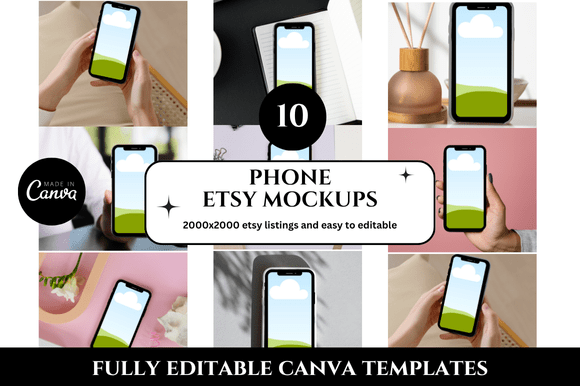
- Canva: Offers free phone mockup templates. Upload your listing image, drag it into the phone screen, and add text overlays to simulate the Etsy interface. It’s quick and visual.
- Placeit: A dedicated mockup generator with realistic phone frames. You can even choose the exact phone model that your target audience uses (e.g., iPhone 15 or Samsung Galaxy).
- Etsy’s own mobile preview: While not a mockup per se, you can open your Etsy shop on your phone and use the browser’s “Request Desktop Site” toggle to see how your listing looks in the mobile app view. Some sellers also use the Etsy Seller app to check listings.
- Adobe Photoshop or Affinity: For more control, you can create a custom mockup using a smart object layer that swaps out the listing image.
When using any mockup, pay attention to these key elements:
- Thumbnail crop: Ensure your product stays centered when the image is forced into a 1:1 aspect ratio.
- Text size: Any text on your image should be at least 30–40 pixels tall for readability on a phone.
- Buttons and calls to action: Place your digital “Add to Cart” or “Favorite” icons (if you include them as overlays) where Etsy’s real buttons won’t overlap.
- Color contrast: Use a tool to check that your text stands out against the background of your photo, especially in bright outdoor light.
How Different Users May Approach the Topic Differently
Not every seller has the same level of experience or the same goals. Here’s how various user types can benefit from a Phone Etsy Listings Mockup:
- New sellers: If you’re just starting out, a mockup helps you avoid rookie mistakes. You can compare your listing against top sellers in your category to see how theirs appear on mobile. Use the mockup as a learning tool to understand why certain designs work.
- Experienced sellers looking to optimize: If you already have a steady flow of sales, mockups can help you A/B test new main images without publishing them. Create two mockups, show them to a friend or a focus group on their phone, and ask which one they’d click. This is a low‑risk way to gather feedback.
- Poduct photographers and graphic designers: You might use mockups as part of your client deliverables. When you work with Etsy sellers, present the phone mockup alongside the standard photo to demonstrate the mobile‑first value you bring.
- Shop teams or brands: If you have multiple people creating listings, standardize the use of a mockup in your workflow. Require that each listing gets a mobile preview check before going live. This ensures consistency across your entire shop.
Regardless of your background, the core principle remains the same: test on mobile first, optimize for the screen your buyers actually use.
Creating Your Own Phone Etsy Listings Mockup Workflow
To make the most of this approach, integrate mockup checks into your listing creation routine. Here is a simple three‑step process:
- Design your main image with a square crop in mind. Use a central focal point and large text if applicable.
- Insert the image into a phone mockup tool and add your listing title and price as text overlays. Adjust the photo until it looks balanced.
- View the mockup on your actual phone by downloading the image and looking at it in your photo gallery. Better yet, send it to a friend and ask them what they see at first glance.
If any element feels off, go back and revise the listing image or title. Repeat until the mockup looks clean and compelling.
Common Mistakes to Avoid
Even with a mockup, sellers sometimes still miss the mark. Watch out for these pitfalls:
- Overloading the image with text. Phone screens are small; too much text creates visual noise. Stick to one key selling point.
- Using horizontal orientation. Etsy thumbnails are square, and horizontal images get heavily cropped. Always start with a square or vertical canvas.
- Ignoring the scrolling experience. A mockup usually shows only the top of the listing. But buyers scroll. Make sure your second photo and description also look good on mobile.
- Only checking on one phone size. Phone screens vary from small iPhones to large Android phablets. Check your mockup at multiple resolutions if possible.
Final Thoughts on Using a Phone Etsy Listings Mockup
A Phone Etsy Listings Mockup is not a magic bullet—it’s a practical checkpoint that helps you catch mobile usability issues early. By seeing your listing through the buyer’s phone screen, you take the guesswork out of mobile optimization. The result is a cleaner, more inviting listing that converts better. Whether you use a free tool like Canva or a dedicated mockup generator, the time you invest in previewing your listing on mobile will pay off in higher click-through rates, better customer satisfaction, and ultimately more sales. Give it a try with your next listing and see the difference a mobile‑first perspective can make.